
TL;DR | Key Highlights
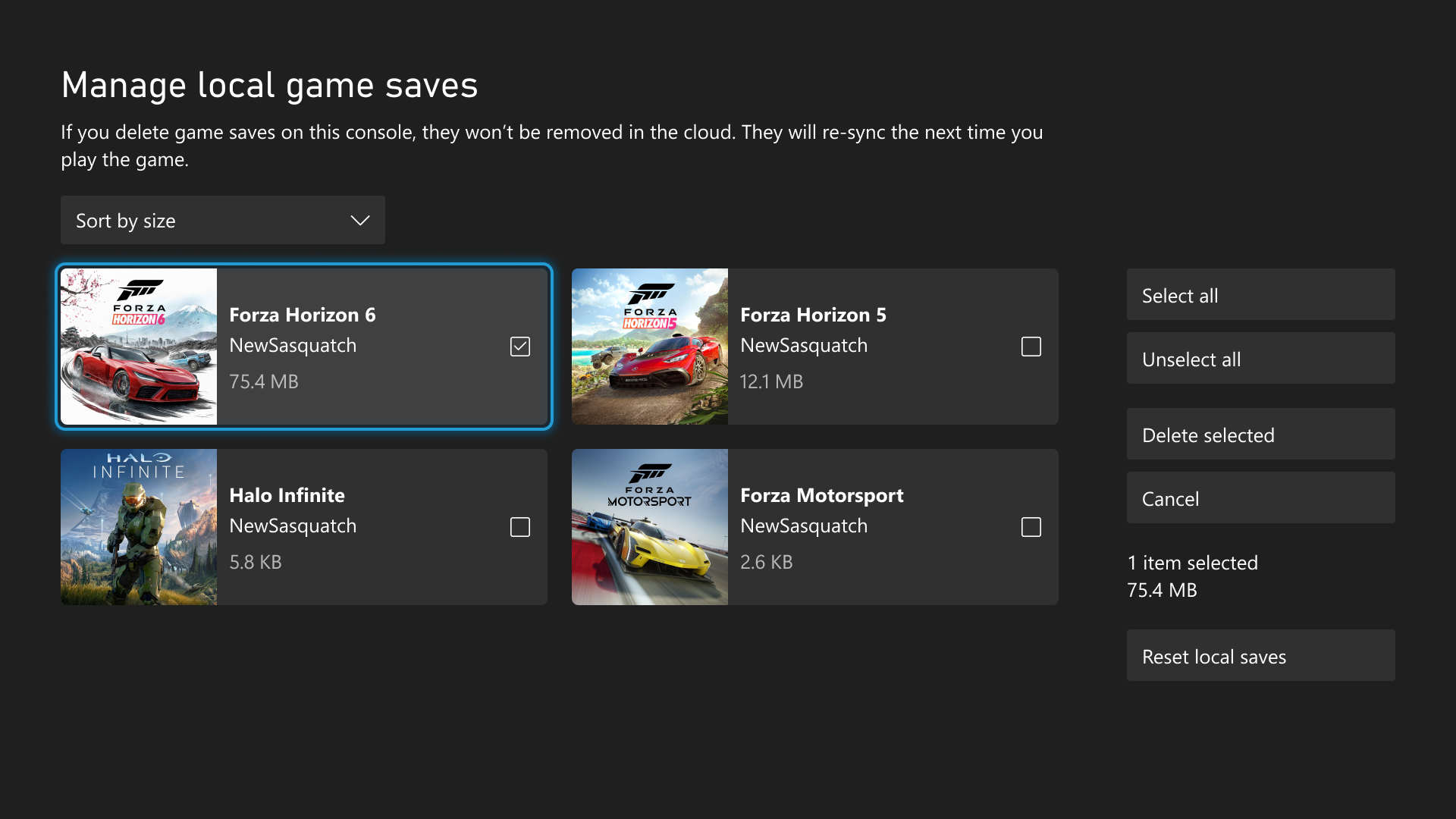
- Enhanced local save management: Players can now manually view, sort, and bulk-delete unused local game save files from console storage without losing cloud backups.
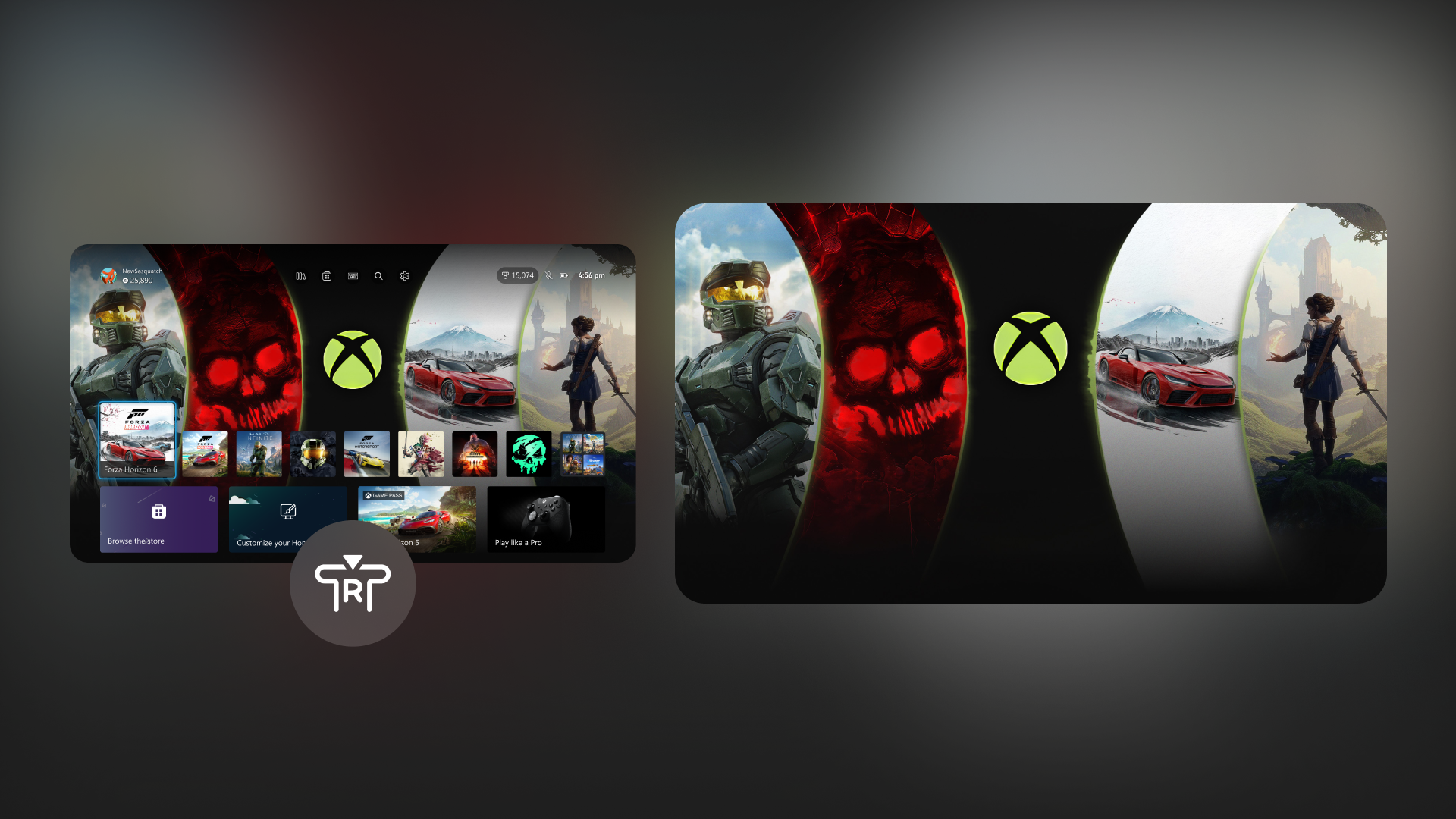
- Home screen customization: Added the ability to hide recent apps and a new "immersive background mode" that clears UI elements with a single click.
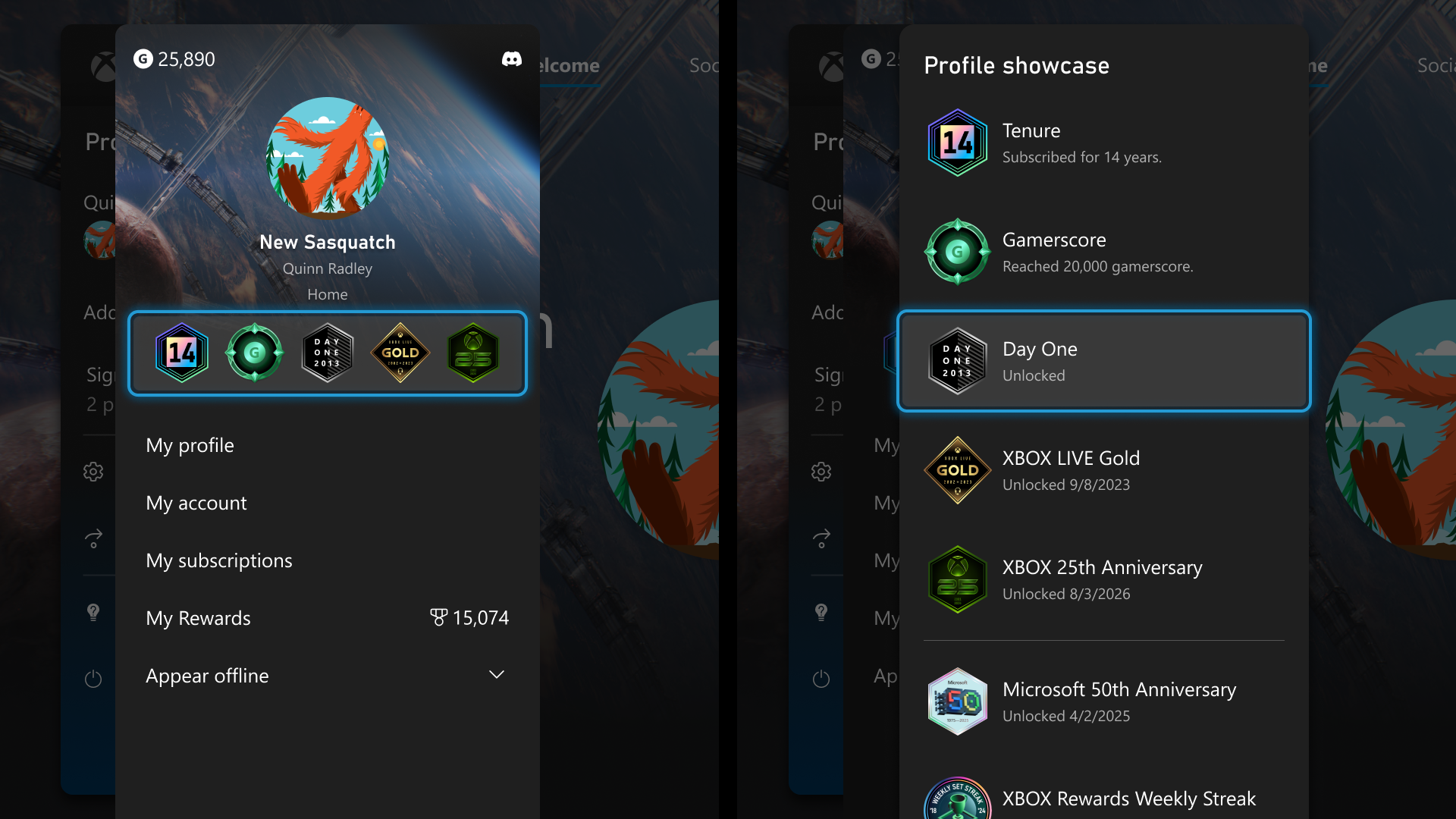
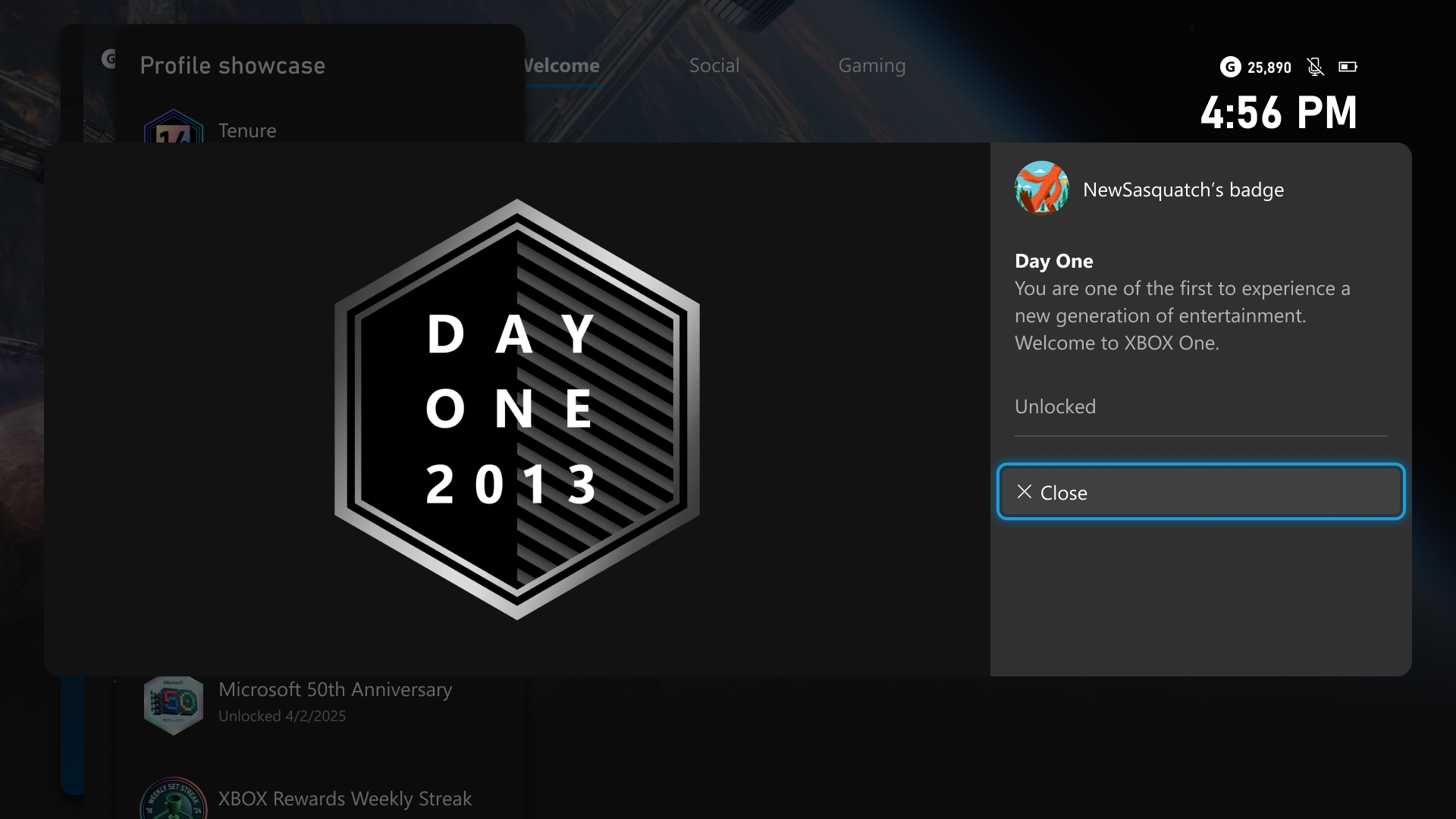
- Nostalgic profile badge upgrade: Expanded badge details with high-res artwork, plus a new commemorative badge for players who unlocked the original Xbox One "Day One" achievement in 2013.
- Streamlined Xbox wishlist: Items bought from the store are now automatically pruned from your wishlist.
Microsoft has released a fresh suite of dashboard updates for Xbox Insiders, targeting long-standing player requests around console storage management, Home screen personalization, and profile customization. The patch rolls out primarily to Alpha and Alpha Skip-Ahead members.
Direct Control Over Local Game Saves
While Xbox consoles automatically sync save files to the cloud, local storage conflicts have historically given players little visibility into which specific save files were consuming space.
The new update adds a dedicated management tool located under Settings > System > Storage > Manage local game saves. Players can now view, sort, and delete individual unused local save files - or wipe them in bulk - to clear room for new titles without risking cloud backups, which will automatically resync upon launching a game.
Xbox Console Update - Manage Local Game Saves
Home Screen De-Cluttering & Immersive Backgrounds
The Xbox Home interface is receiving two major quality-of-life adjustments:
- Custom Recent Lists: Players can now remove individual items from the top Recent Games & Apps carousel via the Menu button, including the default Play History tile.
- Immersive Background Mode: Pressing the right thumbstick (RS) from the Home screen now immediately fades away all UI blocks and text, allowing full-screen viewing of dynamic or custom wallpapers.
Xbox Console Update - Immersive Backgrounds
Expanded Profile Badges & The Xbox One "Day One" Tribute
As part of Xbox's ongoing 25th-anniversary celebrations, Microsoft is revamping profile badges. Clicking on any badge across a player's profile now reveals high-resolution artwork alongside exact unlock requirements and historical context.
Xbox Console Update - Expanded Profile Badges
Additionally, players who unlocked the original "Day One" achievement during the Xbox One launch on November 22, 2013, will automatically receive an exclusive commemorative Day One Profile Badge.
Xbox Console Update - Day One Profile Badge
Automated Wishlist Cleanup
Finally, a universal update rolling out to all users automates wishlist maintenance. Any game or DLC purchased from the Xbox Store will now be automatically removed from your personal wishlist immediately upon transaction.
This article was written by Gemini 3.6 Flash and fact-checked and edited by a human.
Editorial Standard: Drafted with AI assistance, thoroughly reviewed and published under GoodGamePass editorial supervision.